
Verity Mod
SAR13Entertainment
4.546.00 Reviews
- Version
- 1.0.3
- Installs
- 500.00K
- Age Rating
- Everyone
Screenshots
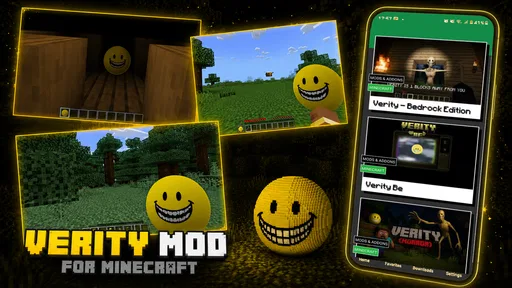
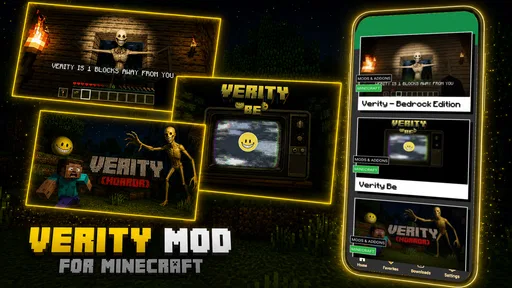
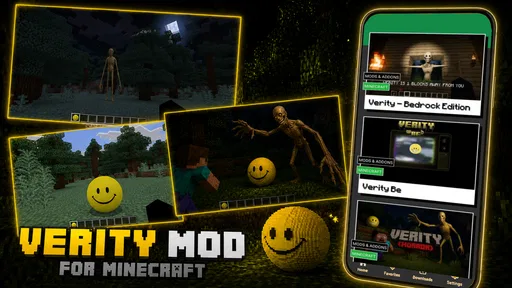
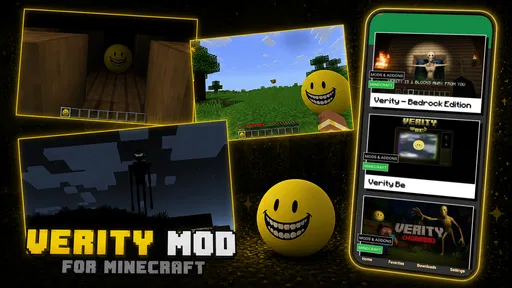
Our Review of Verity Mod
 Analysis by Appyee
I approached Verity Mod as a quick way to explore horror-themed entertainment content rather than as a full game in its own right. The app brings together references to Verity, Man from the Fog, Poppy, Mimicer, SCP, Cave Dweller, and other horror mods, so its appeal is easy to understand: it is aimed at people who like discovering unsettling characters, scenarios, and mod-related material from one place.
My first impression was that this is best treated as a browsing and discovery tool. It is not the same as downloading a complete standalone horror game, and that distinction matters before you install it. If you enjoy checking out scary concepts, looking for inspiration, or deciding which horror-related content deserves more attention, the app has a clear purpose. If you want a polished campaign with controls, levels, saving, and a defined ending, you may be happier with a dedicated game instead.
What the app is really for
The entertainment category can cover a lot of ground, but this particular app has a narrow identity. Its focus is horror mods and recognizable horror themes, with names such as Poppy, SCP, Man from the Fog, and Cave Dweller helping set the mood. I found that the strongest use is casual exploration: open the app when you want something creepy to look through, then decide where to continue your interest.
That makes it useful for several kinds of users. A horror fan may use it as a compact starting point when searching for new ideas. Someone who watches horror gaming videos may appreciate having several familiar themes gathered together. A player who is curious about mods but does not yet know which ones to investigate can also use it as a simple orientation point.
There is a trade-off, though. A collection built around several horror subjects can feel broad rather than deep. You may move from one theme to another without receiving the detailed context, installation guidance, or complete experience that specialist communities often provide. I would therefore see it as the first stop in a discovery process, not necessarily the final destination.
The app is free, which makes trying it low-risk. It is also marked for Everyone, but the subject matter still deserves personal judgement. A general age label does not change the fact that horror imagery and frightening themes can be uncomfortable for younger users or for anyone sensitive to this kind of material. I would preview it yourself before handing it to a child, especially because the word “horror” covers very different levels of intensity.
What to expect after installing
The developer is SAR13, and the current version is 1.0.3. The app has reached over 500 thousand installs and carries an average rating of 4.5 from around 1.8 thousand ratings, so it has attracted a meaningful audience for a focused horror-entertainment tool. Those figures suggest that the concept is easy for many people to understand, but they should not be mistaken for a guarantee that every section will suit your preferences.
Its store summary mentions Verity, Man from the Fog, Poppy, Mimicer, SCP, Cave Dweller, and horror mods. I recommend treating those names as signposts for the kind of material you will encounter, not as a promise that every one of them offers the same depth or format. The experience is more useful when you approach it with a specific curiosity, such as wanting to learn about one creature or compare several horror concepts.
One practical expectation is that the app may work better for short sessions than for long, uninterrupted viewing. Horror discovery often depends on mood. I would open it when I have a few minutes, inspect one theme, note what interests me, and then stop rather than scrolling without a goal. That small change makes the app feel more intentional and helps avoid the common problem of installing a content hub and then not knowing what to do with it.
Getting started without overthinking it
For a first-time user, the simplest path is to install the app, open it, and begin with the horror subject that already sounds familiar. If you recognize SCP, Poppy, or Man from the Fog, start there instead of trying to understand the entire collection at once. Familiarity gives you a useful reference point: you can quickly judge whether the presentation matches what you expected and whether the other entries are worth exploring.
I would keep the first session deliberately short. Look for the main content area, select one topic, and spend enough time with it to understand what the app is offering. Do not assume that tapping every visible option immediately will produce a better result. With a themed discovery app, the useful information is often in the relationship between entries: one subject may lead you toward another style of horror, a different mod concept, or a character you had not encountered before.
A good first-session routine is to choose one known name and one unfamiliar name. The known name gives you a baseline, while the unfamiliar one tests whether the app can actually broaden your interests. This is more informative than judging the app from its opening screen alone. It also prevents a common mistake: deciding that the app is repetitive simply because you only inspect the most recognizable entry.
If you are installing it for a younger family member, I would be more involved during this first setup. The Everyone label is reassuring in a broad store sense, but a horror-focused collection can still produce a very different reaction from one person to another. Sit with the user for the first visit, check the themes they choose, and decide whether the tone is appropriate before leaving them to browse alone.
Finding a first meaningful result
The first successful action is not merely opening the app. It is finding one piece of horror-related content that gives you a clear next step. For me, that means selecting a subject, understanding why it is included, and deciding whether I want to explore the idea further elsewhere or return to another entry inside the app.
Try this workflow: begin with a familiar theme, read or inspect what is presented, then compare it with a less familiar one. Pay attention to the differences in tone and presentation rather than rushing through the names. If one entry catches your attention, make a mental note of it immediately. The app becomes more useful when you use it to filter your curiosity instead of expecting it to provide a complete experience from start to finish.
This is also where the app can help people who are new to horror mods. You do not need to know the entire community vocabulary before opening it. The list of themes gives you a starting map. Once you discover that you prefer creature-focused horror, mysterious entities, or game-inspired scares, you can search more deliberately for that style later.
A less obvious advantage is that the app can work as a conversation starter. If friends already discuss horror games or mods, you can use one of the listed themes as a prompt and compare which concepts interest each person. That is a better fit for this app than expecting it to replace multiplayer interaction or a full gaming session. Its value is in directing attention toward ideas, not in creating a complete social game night by itself.
Where new users may get confused
The biggest possible confusion is the word “Mod.” A mod is usually an alteration, add-on, or custom piece of content connected to another game or experience. An app that presents horror mod material should not automatically be understood as the original game, an official expansion, or a universal installer for every related title. Before you expect a one-tap transformation of another game, first understand what this app itself presents.
That distinction also affects expectations around gameplay. The listed horror names may suggest characters or scenarios you have seen in games, but the app should be judged as an entertainment and discovery product. If your goal is to control a character, survive a night, solve puzzles, or progress through levels, look for a dedicated title designed for that purpose. This app is a better match when your goal is to browse, recognize, compare, and decide what deserves deeper attention.
Another source of friction is the range of references. SCP, Poppy, Cave Dweller, Mimicer, and Man from the Fog do not automatically appeal to the same audience. Someone who likes atmospheric mystery may not enjoy a more direct monster concept, while a fan of jump scares may find a slower idea less engaging. I recommend judging each topic separately instead of assuming that liking one means you will like the entire collection.
It is also wise to avoid treating the rating as a personal recommendation. An average of 4.5 is encouraging, but horror is especially subjective. A person who enjoys frightening themes may find the app immediately useful, while someone looking for calm entertainment will probably not. Ratings can tell you that the concept works for many users; they cannot tell you whether its tone fits your evening.
How it compares with the usual alternatives
The usual alternative is to search directly through a game store, video platform, or mod community. Those options can offer more depth, but they also make you do more sorting. You may encounter unrelated results, incomplete descriptions, duplicate uploads, or discussions that assume you already understand the subject. Verity Mod is more appealing when you want a narrower horror-oriented starting point rather than a completely open search.
A dedicated horror game is the better choice when you want interaction. Games provide controls, objectives, progression, and a stronger sense of personal involvement. This app is better when you are still choosing what to play or when you want to browse horror ideas without committing to a long session. I would use both in sequence: discover a promising theme here, then move to a proper game or community resource if I want a deeper experience.
Video platforms are stronger for watching creators demonstrate mods in action. They can show atmosphere, reactions, and practical gameplay details that a compact entertainment app may not communicate as fully. On the other hand, video searches can become noisy and time-consuming. A curated-feeling list of horror subjects is useful when you want to make a quick decision before watching or playing something elsewhere.
Specialist mod communities remain the better option for technical questions. If you need exact compatibility guidance, installation troubleshooting, update discussions, or help with a particular game, go to a community built around that game or mod. I would not use this app as my only technical reference. Its strength is helping you identify what interests you; the specialist source should handle the more demanding practical details.
Small habits that make the app more useful
My first tip is to use it as a filter, not an endless feed. Pick one theme before opening the app and leave once you have answered a simple question: do I want to explore this further? This keeps the experience focused and makes the free app feel more valuable than random scrolling.
My second tip is to compare mood rather than popularity. The most familiar name is not automatically the best match for you. Try one entry you recognize and another you do not, then decide which atmosphere you prefer. This approach can reveal that you enjoy a less obvious horror style, such as eerie exploration instead of direct creature encounters.
My third tip is to separate discovery from installation. If the app makes you interested in a mod or related game, pause before downloading anything from an unrelated source. Confirm that the content belongs to the right game, platform, and version, and use a trustworthy source for any later step. This is a practical habit because “mod” can refer to very different kinds of files and experiences.
My fourth tip is to use the app at the right time. If you are looking for something relaxing before sleep, this is probably a poor choice even if you normally enjoy horror. If you are planning a themed gaming night, looking for a creepy recommendation, or trying to understand the names your friends keep mentioning, it becomes much more useful.
Who should install it, and who should skip it
I would recommend it to casual horror fans, people curious about mod culture, and users who want a compact way to investigate several recognizable horror themes. It is particularly suitable for someone who does not yet know where to begin. The free price removes the need for a major commitment, and the focused subject matter makes the purpose easy to test during a short first session.
I would skip it if you want a complete horror game with a clear campaign, advanced controls, or guaranteed technical guidance. I would also choose another option if you dislike browsing collections and prefer one carefully produced experience. Users who are very sensitive to frightening imagery should approach cautiously despite the broad Everyone rating, because the category itself may not match their comfort level.
There is another group that may find limited value here: experienced mod users who already have a trusted community, a well-organized library, and a clear technical workflow. They may learn something from the selection, but they are unlikely to need a general discovery app for their everyday modding tasks. For them, a specialist source will usually be more efficient.
My final take after using it
Verity Mod works best as a friendly entry point into horror-themed mod discovery. I like the focused selection and the way familiar names can lead a first-time user toward less familiar ideas. It is easy to understand why the app has found an audience, especially among people who want a quick dose of horror-related entertainment without beginning with a broad, unfocused search.
Its limitations are equally clear. It should not be confused with a full horror game, a universal mod installer, or a replacement for specialist technical communities. The experience depends on how actively you use the themes to guide your next decision. Open it without a goal and it may feel shallow; open it while looking for a particular kind of scary content and it becomes much more practical.
The app was released on Jul 21, 2026, and its current version is 1.0.3. For a first-time user, my advice is simple: install it, start with one familiar horror name, compare it with one unfamiliar entry, and then decide whether you have found something worth pursuing. If that discovery process sounds enjoyable, this free entertainment app is worth trying. If what you really want is immediate, hands-on gameplay, choose a dedicated horror title instead.
Verdict
Strengths of Verity Mod
- Simple interface makes key features easy to find.
- Lightweight design runs smoothly on many Android devices.
- Useful customization options improve the overall experience.
- Regular updates can bring fixes and new improvements.
- Quick access to core tools reduces unnecessary navigation.
Limitations of Verity Mod
- Modded apps may pose security and privacy risks.
- Installation may require enabling downloads from unknown sources.
- Compatibility can vary across devices and Android versions.
- Updates may be less reliable than those from official stores.
- Using modified software may violate the original app’s terms.
Similar Picks in This Category
View All
Google Play Games
Google LLC3.9

Netflix
Netflix, Inc.4.8

YouTube Kids
Google LLC4.2

Disney+
Disney4.4

Prime Video
Amazon Mobile LLC4.7

Steam
Valve Corporation3.2
Frequently Asked Questions
What is Verity Mod, and what does it offer?
Verity Mod is generally presented as a modified version of an original Android application, offering features or adjustments that may not be available in the official release. Depending on the specific version, these changes can include unlocked functions, removed limitations, or customization options. Because modified apps can vary between providers, users should carefully check the listed features, version number, compatibility, and update history before downloading.
Is Verity Mod safe to install on an Android device?
The safety of Verity Mod depends entirely on where the installation file comes from and how it has been modified. Unlike applications distributed through official stores, third-party modified APKs may not receive the same security checks or developer support. Before installing, scan the file with a trusted mobile security tool, review requested permissions, avoid suspicious download pages, and keep a backup of important data. No unofficial APK should be treated as automatically safe.
Does Verity Mod require special permissions or root access?
Many modified applications work without root access, but the exact requirements can differ by release and device. Verity Mod may request permissions for storage, notifications, network access, or other functions related to its operation. Users should compare every permission request with the app’s purpose and refuse anything that seems unnecessary. If a version asks for root access, system-level changes, or disabling important security protections, extra caution is strongly recommended.
Can Verity Mod be used alongside the official version of the app?
Whether Verity Mod can coexist with an official application depends on package names, signatures, and the way the modified version was built. Some releases install as a separate application, while others conflict with the official version and require it to be removed first. Installing both may also create account, storage, or update problems. It is best to back up your data, read the installation instructions, and avoid using unofficial versions with sensitive accounts.
How can I update or uninstall Verity Mod if it stops working?
Modified applications usually do not update through Google Play, so users may need to download a newer compatible release manually. Before updating, save important settings or data and confirm that the new version comes from a trustworthy source. To uninstall Verity Mod, use Android’s standard app settings, then remove any leftover files only if you know they are safe to delete. If the app causes crashes, excessive ads, or unusual device behavior, uninstall it immediately and run a security scan.
